
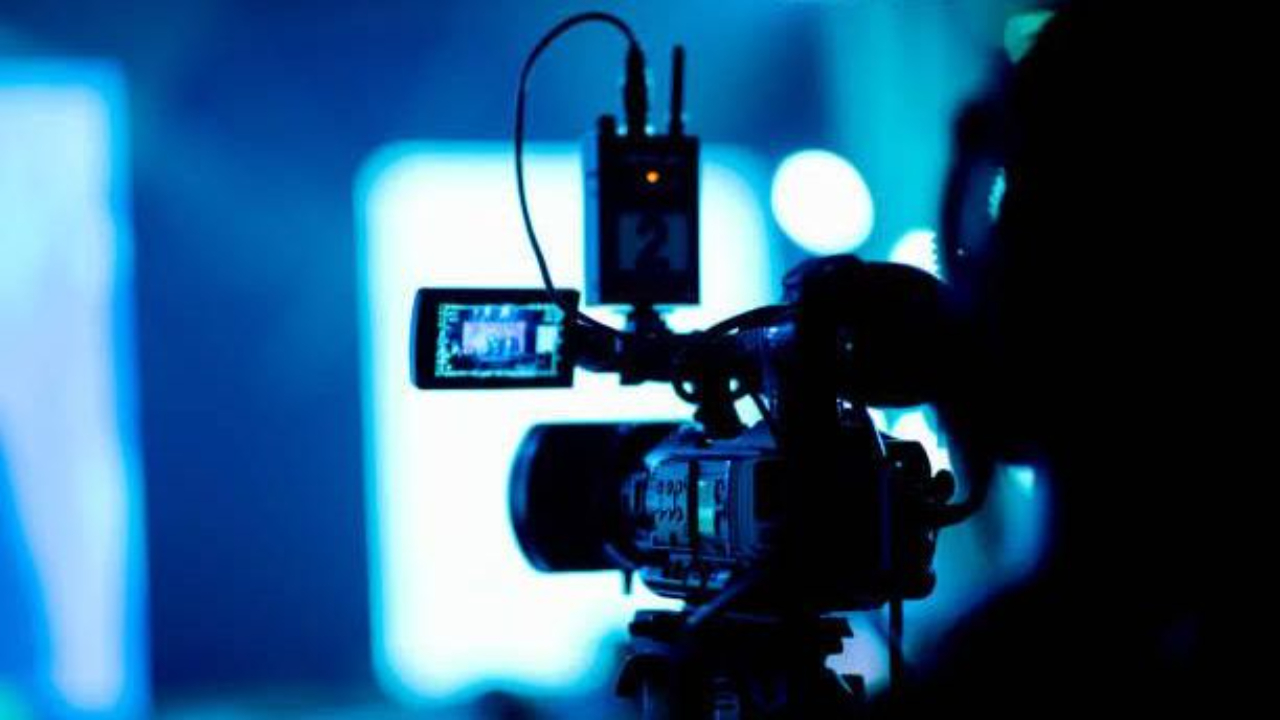
10 Church Livestream Tips for Better Audio, Video, and Viewer Engagement
Apr 17, 2026Church livestreaming is no longer optional for many churches around the world. For many ministries, it has become a normal part of how people join worship, hear the message, and stay connected during the week.
That said, simply having a camera running does not automatically create a good livestream. Many churches are already streaming every Sunday. But the experience still feels hard to follow. The sound may be unclear. The video may not show the right moments. Lyrics may appear late. People may join the stream, but they do not stay long.
In some cases, this often results from the fact that livestreaming is often handled as a separate task instead of as part of a complete worship production systems setup. In this guide, we will walk through practical church livestream tips that can help improve your audio, video, visuals, and overall viewer experience.
What Makes a Good Church Livestream?
A good church livestream usually comes down to a few things working well together.
First, the audio is clear. People can hear the worship team without the lead vocal disappearing under the instruments. They can hear the pastor without volume problems, echo, or distractions. Even if the video is simple, clear sound makes people stay longer.
Next, the video helps viewers focus on the right moment. The camera shows the worship leader, the pastor, or the stage clearly. It is steady. It is not zooming around without reason. Viewers should not have to work hard to understand what they are looking at.
Visual support also matters. Lyrics, scriptures, lower thirds, or announcement slides should appear on time and be easy to read. This becomes even more important for people watching on phones or smaller screens.
Then there is flow. A good livestream moves from one part of the service to another without awkward pauses, confusing silence, or moments that feel unplanned.
When all of this works together, the stream feels natural. That is because a livestream is not separate from ministry. It is an extension of the in-room worship experience. It works best when it is part of a wider church production solutions plan.
10 Church Livestream Tips That Improve the Viewing Experience
Before we break each one down, here are the main church livestream tips to focus on:
- Prioritize audio quality
- Use proper microphone setup
- Position cameras correctly
- Improve lighting on stage
- Ensure a stable internet connection
- Avoid buffering and lag
- Display clear lyrics and visuals
- Maintain smooth transitions
- Engage online viewers intentionally
- Avoid dead air during the stream
Each one affects how people experience your service online. Now let’s look at them in more detail.
-
Prioritize Audio Quality
If there is one area churches should take seriously first, it is audio.
People can still follow a stream with average video quality. But once the audio is unclear, most viewers stop trying. They leave. Clear sound is what carries worship, preaching, scripture reading, prayer, and transitions.
This is where many churches struggle. The stream may sound like it is being picked up from the back of the room instead of being intentionally mixed for online viewers. The lead singer may sound distant. The pastor’s voice may drop in and out. The instruments may overpower everything else.
That usually happens when churches rely too heavily on room sound or do not create a separate livestream mix.
The people in the room hear sound differently from the people online. In the sanctuary, the congregation can naturally hear drums, amps, and live vocals from the stage. Online viewers cannot. They depend fully on what is being sent into the stream. So if the mix is not balanced for the livestream, the result will feel weak or confusing.
A better approach is to build the stream around a clean, controlled audio feed. The pastor’s mic should sound direct and stable. Vocals should be present and understandable. Instruments should support the moment without drowning it.
This is one reason many churches eventually need a stronger AVL Integration strategy. When audio, visuals, and livestream systems are planned together, the result becomes easier to manage and much more consistent.
-
Use Proper Microphone Setup
Good audio does not happen by accident. It starts with the microphones you use and how they are routed.
Some churches make the mistake of depending on the camera microphone or one general room mic to pick up the entire service. That rarely works well. A room mic may capture atmosphere, but it does not usually provide the direct clarity needed for preaching and worship online.
Proper microphone setup means using the right microphones for the right roles and making sure those signals are reaching the livestream clearly.
For example, the pastor’s microphone should be consistent whether they are standing still, walking across the stage, or turning toward the congregation. If their sound fades every time they move, that points to a setup or positioning problem.
The same applies to the worship team. Lead vocals need to be clear. Background vocals need enough presence to support the song. Instruments should be captured in a way that sounds balanced, not messy.
It also helps to think about gain structure. If input levels are too low, the stream sounds weak. If they are too high, the sound becomes harsh or distorted. Small issues at this stage can affect the entire livestream.
Churches that want steady improvement should treat microphone setup as part of their larger church audio visual lighting workflow, not as a last-minute fix on Sunday morning.
-
Position Cameras Correctly
Camera placement has a direct effect on whether viewers feel connected to the service or pushed away from it.
A poorly placed camera can make a meaningful service feel distant. If the shot is too far back, people look small and disconnected. If the angle cuts off the pastor or misses the worship leader, viewers spend more time adjusting mentally than actually engaging with the service.
In many churches, the problem is not the camera itself. It is where the camera is placed and what it is being asked to do.
For preaching, viewers usually need a clear and stable shot of the pastor. For worship, they need to see the team in a way that feels intentional and easy to follow. That does not mean constant camera movement. In fact, too much motion often becomes distracting.
A steady, centered shot usually works better than dramatic repositioning. The goal is not to make the service look like a concert film. The goal is to help people follow what is happening.
It also helps to think practically about screen composition. Can viewers see facial expressions? Can they tell who is leading? Can they stay visually connected during important moments?
Churches planning better church camera systems or broader church live streaming systems often discover that simple camera decisions can make a major difference before they even buy new equipment.
-
Improve Lighting on Stage
Lighting changes how your livestream looks more than many churches realize.
A church may have decent cameras and good volunteers, but if the stage lighting is poor, the stream can still look weak. Faces may appear dark. Some parts of the stage may be too bright while others are hard to see. A speaker may be standing in shadow during the sermon, even though they are fully visible to people in the room.
This happens because livestream cameras respond differently to light than the human eye. What looks acceptable inside the sanctuary may still look too dark, uneven, or distracting on screen.
The goal is not complicated lighting effects. It is clarity.
People watching online should be able to clearly see the worship leader’s face, the pastor’s expressions, and the movement on stage without strain. Lighting should support the moment, not compete with it.
For example, brightly colored backlights may look powerful in person, but if there is not enough front light on the speaker, the camera may struggle. The stream then feels dim or unbalanced.
Balanced worship lighting systems help the stream look more natural and easier to follow. This is especially important when churches want to create a clearer worship environment for both in-person and online viewers.
-
Ensure a Stable Internet Connection
Even if your audio, cameras, and visuals are well handled, your livestream can still fail because of internet instability.
This is one of the most practical livestream issues churches face. A weak or inconsistent connection can cause the stream to drop, blur, freeze, or fail completely. When that happens, viewers often leave immediately.
A stable internet connection matters because livestreaming depends on consistent upload speed. Download speed is not the main issue here. Upload strength is what allows your church to send video and audio out reliably in real time.
Churches also run into trouble when the same network is being heavily used by too many people or devices during service. Staff phones, guest Wi-Fi, background downloads, and other connected systems can all affect performance.
A better approach is to test the network before service, understand your actual upload capacity, and avoid putting the livestream on an unstable shared connection if possible.
You do not need the most expensive setup to improve this. But you do need a connection you can trust week after week.
-
Avoid Buffering and Lag
Buffering is one of the quickest ways to lose online viewers.
People may be patient for a few seconds. But if the stream keeps freezing during worship or cutting in and out during the sermon, most will stop watching. Some may not come back at all.
Buffering usually comes from one of three problems: weak upload speed, unstable Wi-Fi, or streaming at a quality level your internet cannot handle consistently.
This is why churches should not assume that the highest possible stream quality is always the best choice. A stable 1080p stream is better than a sharper stream that constantly drops. Reliability matters more than pushing settings beyond what your system can support.
It also helps to test conditions before service. A church may think the stream is fine because it worked during rehearsal, but Sunday conditions may be different once more devices are connected and the service is live.
Avoiding lag is part of creating trust for online viewers. People should not feel like the service is stopping and restarting around them. The stream should feel steady enough for them to stay present.
-
Display Clear Lyrics and Visuals
Lyrics and visuals do more than fill the screen. They help online viewers stay connected.
In many churches, online worship becomes harder to follow when lyrics appear late, disappear too quickly, or are too small to read on a mobile device. Even when the worship team is leading strongly, the online viewer can start feeling left behind if the visual support is weak.
Timing matters here. Lyrics should appear when people need them, not after the line has already been sung. Text should also be readable. Fancy backgrounds, poor contrast, or overly small fonts may look stylish from a distance, but they do not serve the viewer well.
This becomes even more important for churches using screens heavily during worship. If the church already invests in visuals, they should make sure those visuals actually support worship and not just fill space.
That is one reason clear screen design matters whether a church uses projection or Altura LED Displays. The goal is the same. Lyrics, scriptures, and worship visuals should be easy to read, properly timed, and supportive of the moment.
When visuals are handled well, viewers spend less time trying to catch up and more time participating.
-
Maintain Smooth Transitions
Transitions often determine whether a livestream feels intentional or awkward.
In person, a congregation may be more forgiving during pauses or small moments of uncertainty. Online viewers are usually less patient. If there is a long gap between songs, a confusing handoff between worship and sermon, or dead silence while people sort things out on stage, the stream can quickly lose momentum.
That does not mean a church service has to feel rushed. It simply means online viewers should not be left wondering whether something has gone wrong.
Smooth transitions come from preparation and communication. The worship team, pastor, media operator, and production volunteers should have a shared understanding of what happens next. Slides should be ready. Microphones should be prepared. Camera cues should be understood. Audio changes should not surprise the team mid-service.
This is where stronger worship team development can also support production quality. When people are trained well and work together with confidence, the service flows better both in the room and online.
Transitions may seem small, but they shape the full viewing experience.
-
Engage Online Viewers Intentionally
A church livestream should not make online viewers feel like outsiders looking through a window.
That happens more often than many churches realize. The service is led entirely for the room, and the online audience is never acknowledged. No one welcomes them. No one speaks to them directly. No one gives them a clear way to respond or participate.
Even simple actions can change this.
A host or pastor can greet online viewers at the start of service. Prayer moments can include direct language that invites people at home to join in. Giving instructions, scripture readings, or next steps can be communicated in a way that includes both audiences instead of focusing only on the room.
This matters because online viewers are not just watching content. Many of them are sincerely trying to worship, learn, and stay connected to the church.
Intentional engagement helps them feel seen. It also reminds the church team that livestream ministry is still ministry.
-
Avoid Dead Air During the Stream
Dead air creates uncertainty fast.
If someone joins your livestream and sees a blank screen, hears silence, or watches the stage sit empty without context, they may leave before the service even starts. The same happens during long gaps between service elements.
Online viewers need a sense that the stream is active and being led with intention.
That can be done in simple ways. Churches can use pre-service slides, background music, countdowns, welcome visuals, or a host moment before the service begins. During transitions, they can keep something meaningful on screen rather than allowing the stream to feel abandoned.
Dead air usually signals one of two things: either the team is unprepared, or the online experience was not fully considered in planning.
A better livestream keeps the viewer oriented from start to finish. Even when there is a pause, it should still feel purposeful.
Final Thoughts
A strong church livestream should focus on helping people hear clearly, follow easily, and stay connected to worship and the Word.
When livestream is treated as part of a full worship production systems for churches strategy, the result becomes more reliable, more engaging, and more supportive of ministry.
At Sound of Heaven, we help churches build better livestream and worship environments through AVL Integration, Altura LED Displays, and Worship Team Development so the people leading worship and the systems supporting them can work together clearly.
If your church wants to improve its livestream experience, a consultation can help you identify what needs attention and what next step makes the most sense.
Don't miss a beat!
New moves, motivation, and classes delivered to your inbox.
We hate SPAM. We will never sell your information, for any reason.